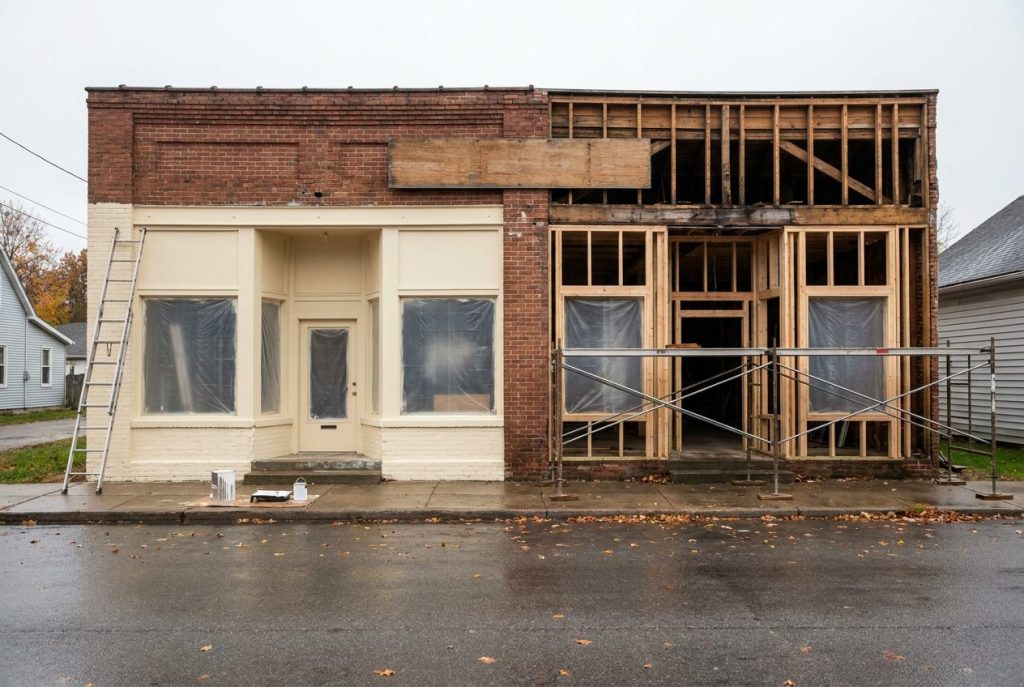
I tell owners to check one thing before they pay for a new website: is the website actually the gap? In the week of 22 Sep 2026, I checked 23 US local businesses against real service-plus-city searches. 20 of 23 were missing from the map pack top three, and 11 of the 12 homepages I reviewed showed no review count. The full finding is in my review count on homepage analysis.
Neither finding, on its own, is a reason to rebuild. The map pack gap is checked on Google first, in the Business Profile and the reviews. The missing review count takes a small refresh, not a new site.
Here is the short answer to the website redesign vs refresh question. Refresh when the structure works but the copy, proof or speed is stale. Rebuild when you cannot update the site yourself, it breaks on a phone, or its forms and call buttons fail. Do neither when the gap is your Business Profile category or your Google review count.
Refresh, Rebuild or Neither
Each path fixes a different problem. Here is what each one involves and what to check first.
| What to compare | Refresh | Rebuild | Neither |
|---|---|---|---|
| Signs to look for | Stale copy, no review count or testimonials on the page, or slow pages | Pages you cannot edit, a broken mobile layout or failing forms | A Business Profile category that does not match the search, or far fewer Google reviews than the top three |
| What changes | Copy, images, proof and speed fixes | Platform, page structure and code | Nothing on the website |
| Typical effort | A few days | Several weeks | Minutes to fix the category; reviews build over months |
| What to check first | Whether your homepage shows your review count, and how fast pages load | Forms, phone links and the mobile view | Your category and Google review count against the top three |
Signs a Refresh Is Enough
You do not need to start over to get better results. A refresh targets the parts of the site that turn visitors into customers.
Your structure still works
Your pages already rank for your main services in your city. Visitors get from the homepage to the contact form without trouble. Those bones are solid.
Tearing the site down puts the search rankings and AI search visibility you already have at risk. A refresh updates the design and copy and keeps every existing web address in place.
Trust signals are missing
Many older sites have happy customers and no proof of them on the page. No testimonials, no review count and no association badges.
Adding a review feed takes a few hours. Badges from local associations need no new code. Both put proof where buyers look before they call.
The pages load slowly
Oversized images and outdated plugins are the first things I check on a slow site. Compress the images and remove unused code. If that clears the problem, you get a faster site without paying for a new one.
Signs You Need a Rebuild
Sometimes patching the old site costs more than replacing it. If the foundation is broken, rebuild.
The platform blocks simple updates
If you call a developer to change your phone number, the setup is broken. You need a site where you add a service or a team member yourself, in minutes.
A rebuild gives you that control back. I cover how I approach this on my website and web app services page.
The mobile layout is broken
If visitors pinch and zoom to read your text, a fresh coat of paint will not fix it. You need a layout built to adapt to every screen size.
Google also uses the mobile version of a page for indexing and ranking. A broken mobile layout is the version it reads.
Customers cannot reach you
Your website exists to bring in leads. If forms fail or phone links do not dial, you lose inquiries every day. Each patch to old code risks breaking something else.
A rebuild gives you forms and call buttons that work when a buyer reaches out.
When the Website Is Not the Problem
A redesign is the wrong spend when the gap is on Google, not on your site.
You are missing from the map pack
When someone searches your service and city, the map pack sits near the top. On 28 and 29 Sep 2026, I checked three map packs: a roofer, a chiropractor and a family law attorney, each in a different US city.
All nine top-three businesses used the exact category for the search. Their review counts ran from 15 to 1,300. A new homepage changes neither of those.
Fix the profile first
Check your primary category before you spend anything on code. If you sell plumbing and list yourself as a general contractor, your category does not match the search. In my check, every top-three business matched it exactly.
You change the category in your Business Profile dashboard, with no code involved. My Google Business Profile optimization checklist walks through each setting. Read why your business is not showing up on Google before you touch the site.
How to Check Before You Spend
This check takes a few minutes and needs no technical audit. Do it before you decide between a redesign and a refresh.
Search your service and city
Open a private browser window. Type your main service and your city, for example “best emergency plumber in Austin, TX”. Note the three businesses in the map results near the top.
Open the top three profiles
Click each of the three listings. Write down the category shown under each business name. Compare it with yours.
Compare review counts
Note each competitor’s review count and star rating. If they average over 100 reviews and you have five, that review gap is the clearest difference between you and them.
Check the page that answers the search
Click through to the page each competitor links from its profile. Note whether it is the homepage or a dedicated service page. If it is a service page, build that one page on your current site. No rebuild needed.
Which Path Fits Your Site Today
Let the evidence pick the path. Look at what already ranks in your city before you spend anything.
If your platform lets you add copy and reviews easily, refresh. If it blocks simple changes, breaks on a phone or loses inquiries through broken forms, rebuild. If the gap is your Business Profile category or reviews, leave the code alone and fix those first.
I run a free Visibility Breakdown for local business owners. It shows what customers search, who gets surfaced and the one thing to fix first. To get yours, reach out through my contact page.
Frequently Asked Questions (FAQs)
What is the difference between a refresh and a rebuild?
A refresh changes copy, images, proof and speed on your current platform and theme. A rebuild replaces the theme or platform, the page structure and the code underneath.
Will a new website guarantee a higher ranking?
No. No website change guarantees a ranking. In my map pack checks, every top-three business used the exact category for the search, and that setting lives in your Business Profile, not on your website.
How long does a refresh take?
A focused refresh takes a few days. That covers new photos, customer proof and rewritten copy.
Can I keep my existing pages if I rebuild?
Yes. Move your pages to the new platform and keep the same web addresses where you can. Where an address changes, set up a 301 redirect from the old one so visitors and search engines land on the new page.
How does a rebuild affect AI search and voice search visibility?
A rebuild does not change it on its own, and nobody can guarantee a place in AI answers or voice results. What I check is whether each service has its own page, a clear heading, a direct answer near the top and plain facts such as service area, hours and contact details. A refresh adds most of that without new code. Keep your Google Business Profile details matching your site as well.
Should Core Web Vitals factor into a redesign or refresh decision?
Yes, as one input. Core Web Vitals are Google’s measures of how fast a page loads, how quickly it responds and how much it shifts while loading. Check the report in Google Search Console. If failing pages trace back to large images or extra plugins, refresh. If the theme or platform causes the failures, rebuild.